

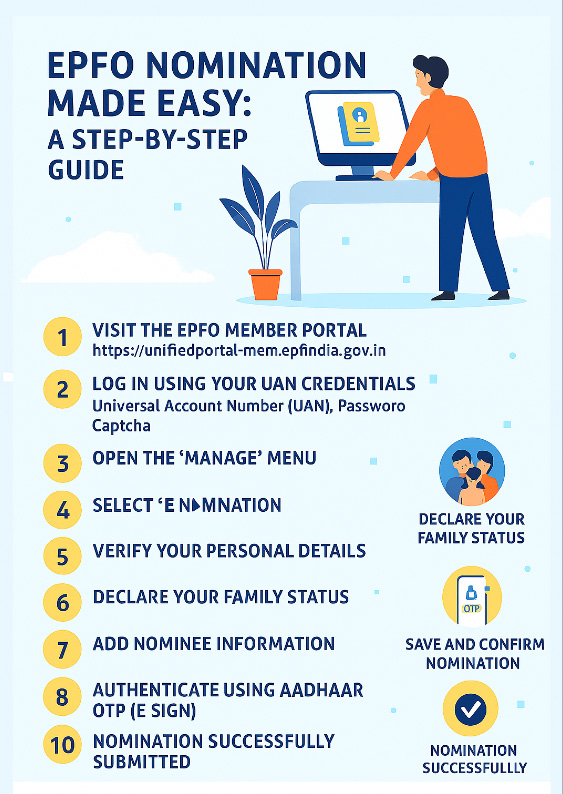
Adding a nominee to your EPF account is one of the most important steps in securing your family’s financial future. The Employees’ Provident Fund Organisation (EPFO) now allows members to complete their nomination entirely online, eliminating paperwork and long processing times. With just a few clicks on the EPFO portal, you can update your nominee details and ensure that your provident fund savings are transferred smoothly to your chosen beneficiary. This guide walks you through the complete process in a simple, step-by-step format.
Step 1: Visit the EPFO Member Portal
Go to the official EPFO Member e-Seva website:
https://unifiedportal-mem.epfindia.gov.in
This is the only authorized portal for EPF member services.
Step 2: Log In Using Your UAN Credentials
Enter your:
- Universal Account Number (UAN)
- Password
- Captcha code
Once logged in, you will be redirected to your EPF dashboard.
Step 3: Open the ‘Manage’ Menu
On the top navigation bar, click on Manage to access account-related options.
Step 4: Select ‘E-Nomination’
From the dropdown list, choose E-Nomination.
This will open the nomination section where you can add or update nominee details.
Step 5: Verify Your Personal Details
Your basic information—such as name, date of birth, gender, and marital status—will appear automatically.
Review these details carefully.
If anything is incorrect, you must update your KYC before proceeding.
Step 6: Declare Your Family Status
You will be asked whether you have a family as defined under EPF rules.
- Select ‘Yes’ if you have a spouse, children, or dependent parents.
- Select ‘No’ if you do not have a family (in this case, you can nominate anyone).
Step 7: Add Nominee Information
Click on Add Nominee and enter the required details:
- Nominee’s full name
- Date of birth
- Relationship with you
- Address (if required)
- Percentage of share (if multiple nominees)
You may add more than one nominee, but the total share must equal 100%.
Step 8: Save and Confirm Nomination
After entering all details, click Save Nomination.
Review the information once more to ensure accuracy.
Step 9: Authenticate Using Aadhaar OTP (E-Sign)
Click on E-Sign to complete the process.
You will receive a One-Time Password (OTP) on your Aadhaar-linked mobile number.
Enter the OTP to digitally sign and submit your nomination.
Step 10: Nomination Successfully Submitted
Once the OTP is verified, your e-nomination is officially recorded.
You can download or screenshot the confirmation for your personal records.
Why Completing EPF Nomination Is Important
- Ensures smooth transfer of PF funds to your nominee
- Avoids legal disputes or delays
- Required for online claim settlement
- Helps EPFO verify rightful beneficiaries quickly
Completing your nomination takes only a few minutes but provides long-term financial security for your family.
Join the Conversation
Your thoughts matter. Share your perspective in the comments—healthy dialogue helps us all understand labour law better.
Need Guidance?
Feel free to book a consultation. Expert advice can make compliance smoother and more effective.
Spread the Knowledge
If you found this article useful, don’t keep it to yourself—share it with colleagues, friends, or on social media. Together, we can build greater awareness of labour rights and responsibilities.
Disclaimer – This blog post is a general guide. It should not be considered legal advice. Consult a legal professional for more details.